Chief
Document Management System
“Chief” is an advanced system for writing commands and documents. These can be linked to one another or organized under a main item as sub-items. Additionally, users can create and edit entries and reusable templates within the system.
main user
Users aged 18–30 and 40–55 who are familiar with the organization but have not worked with such a system before, and are either new or returning users, requiring quick onboarding and minimal learning friction.
My role
As the product designer for “Chief”, I designed intuitive interfaces that streamlined how users organize and manage items and templates. I focused on usability and continuous iteration to deliver a clear, efficient experience.
user story
Create a system that organizes and manages structured documents and commands.
KPIs
- 70% daily returning users.
- 100+ unique visits weekly.
- 10% of users: share of items created from reusable templates
Challenge
The main challenge is designing a hierarchical, highly linked structure that supports flexible organization and templating while keeping creation, navigation, and editing flows simple and predictable even as depth and scale increase.
Solution
A clear information architecture with consistent hierarchy rules, guided flows, reusable templates, and progressive disclosure to keep the system flexible but simple to use at scale.
My Design Process
Research
Define
Ideate
Prototype
Final UI
Research
I ran user interviews, workflow analysis, and usability testing, supported by competitive research and card sorting to understand how users structure and manage information. Insights from these were used to iterate on prototypes and refine the hierarchy, navigation, and linking experience.
Competitors
Microsoft SharePoint – a platform for storing, managing, and sharing documents within organizations.
DocuWare – a system for storing, organizing, and automating business document workflows.
Persona

Adam Cohen
Age: 20
Adam is a university student and part-time intern in a tech-oriented operations role. He is organized in theory but struggles when information is scattered across tools, chats, and documents. He prefers structured systems that reduce mental load and help him keep track of tasks, notes, and processes without constant manual organization. He is tech-comfortable, quick to adopt new tools, and values speed, clarity, and minimal setup. He gets frustrated with cluttered interfaces, unclear hierarchy, and tools that require heavy configuration before becoming useful.

UX Design
User flow
The user logs in and reaches a dashboard with recent commands and documents, then creates a new document or selects an existing one. They assign it within a hierarchy under a main command, link it to related commands or documents, and use search or navigation to move through the structure. Templates can be applied to speed up creation and ensure consistency across the system.
Interface Solutions
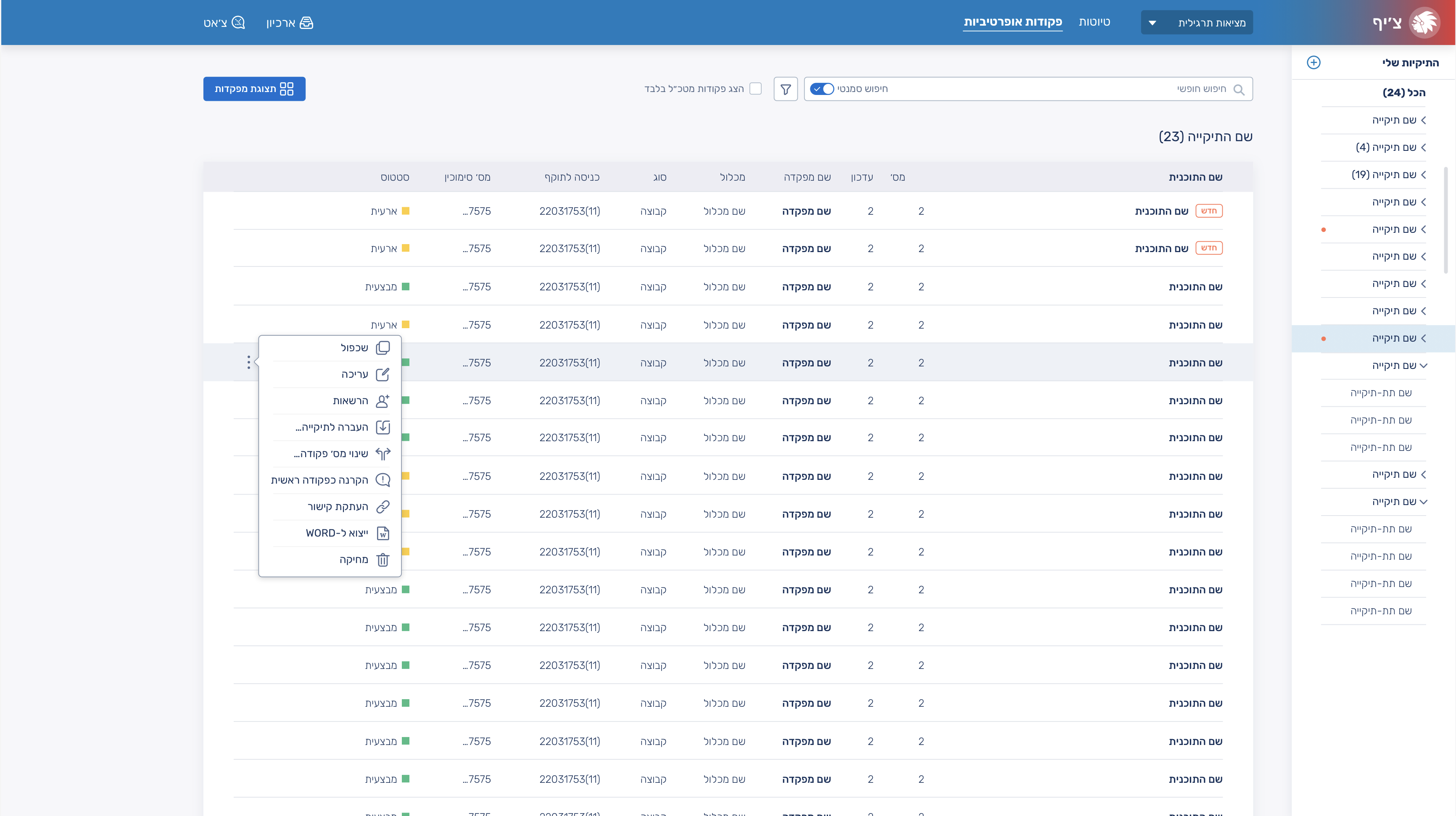
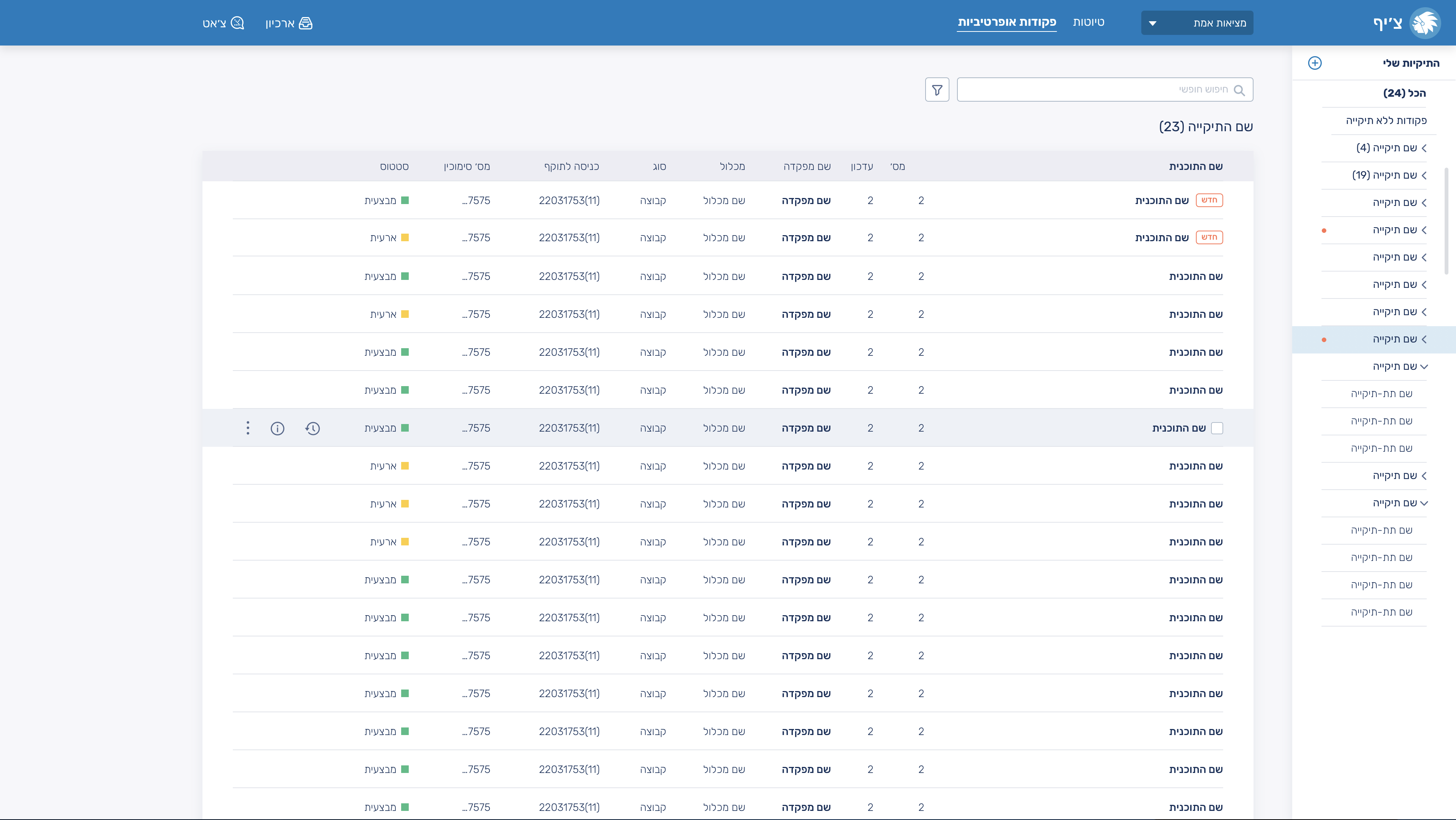
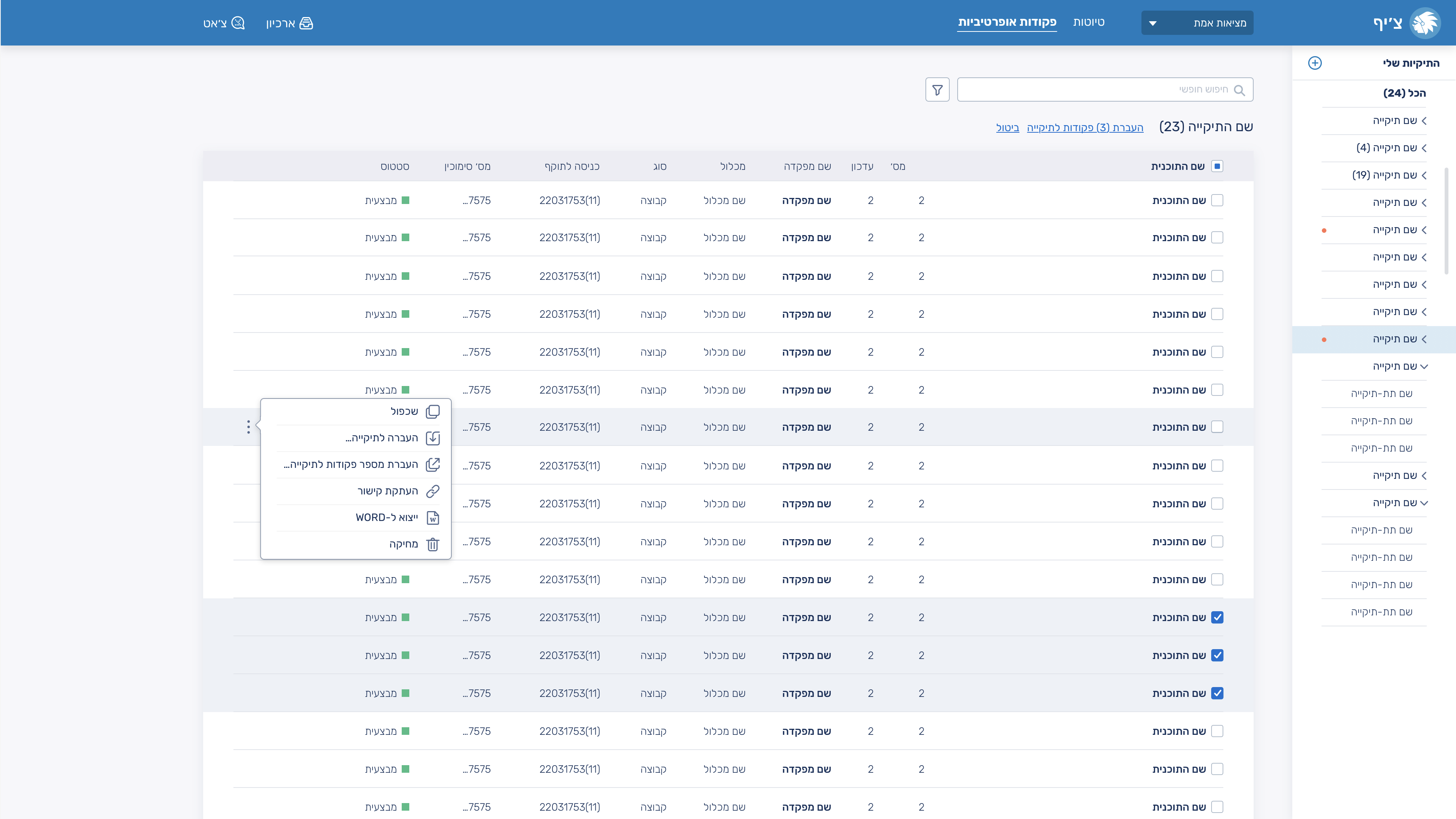
I had to create the system from the research phase, wireframes, and competitor analysis, all the way to designing the components and building the design library. The main challenge was creating a system that includes many documents and tools for creating and editing them, while still keeping the experience as simple and intuitive as possible for users.
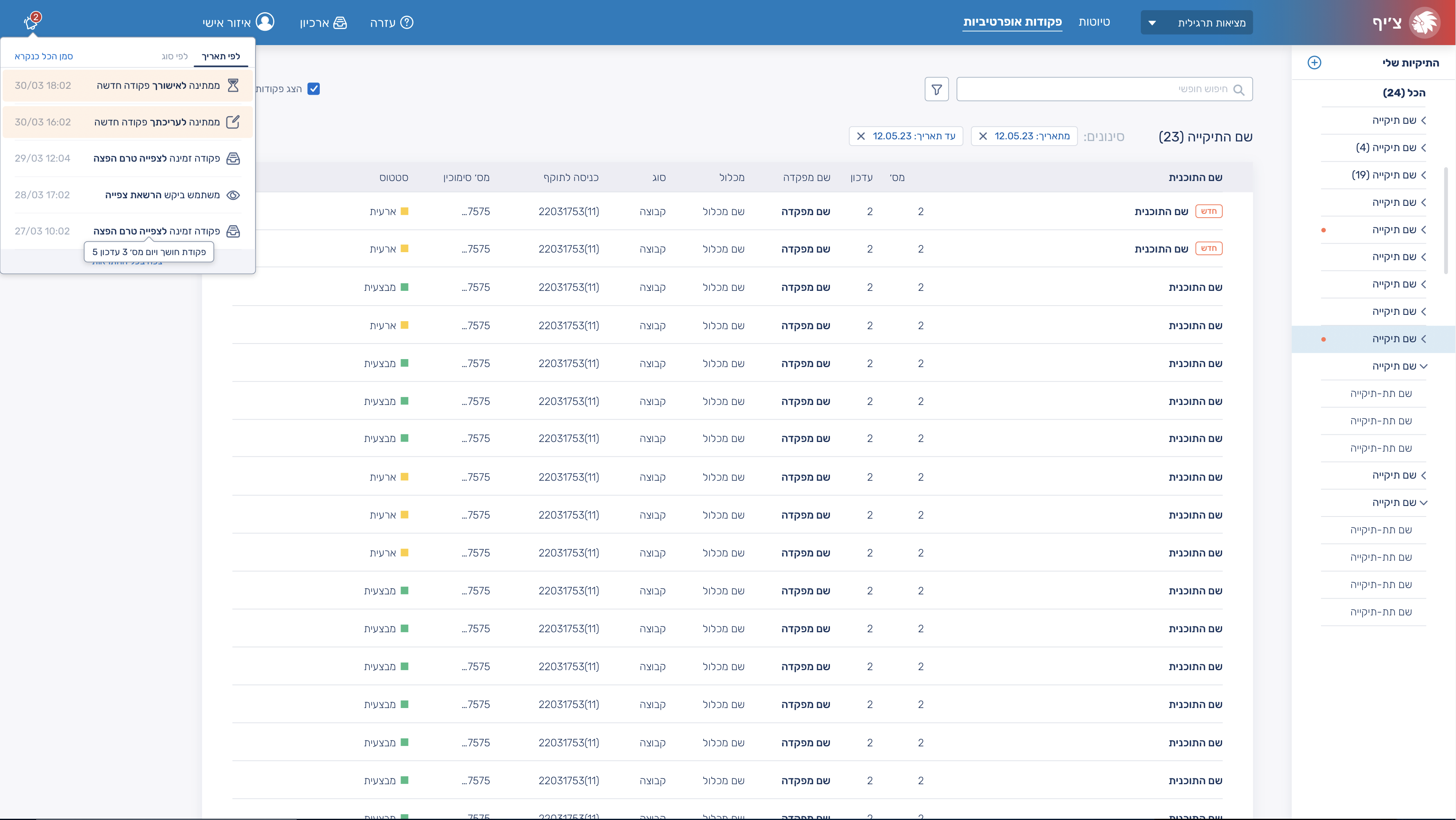
When designing the notifications component, the challenge was to place it in a way that wouldn’t interfere with using the system or viewing existing documents and folders, while still allowing the notifications panel to remain open.
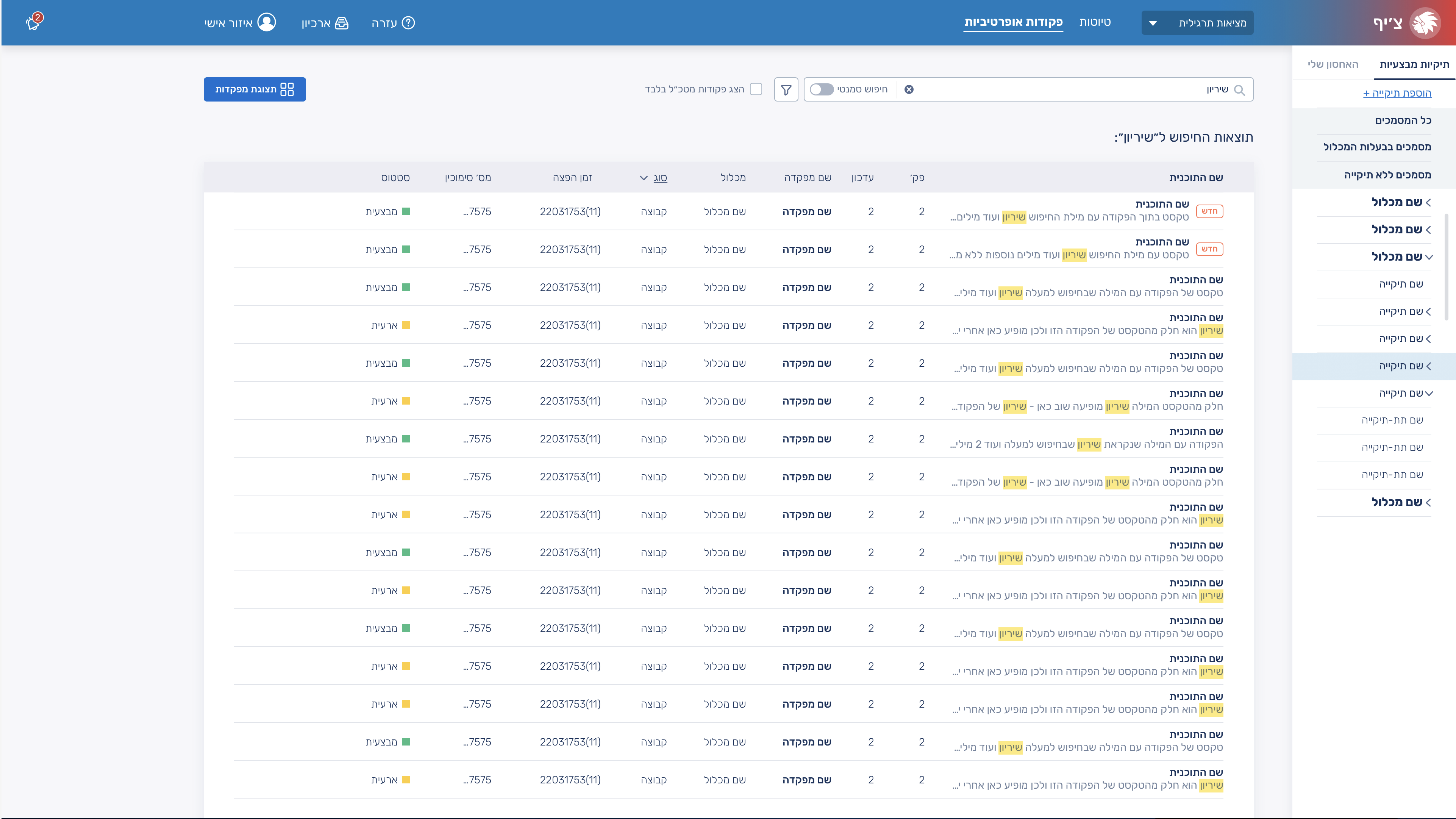
A search feature that looks for both document names and text within the documents themselves, and when matching text is found, displays the specific line where it appears and highlights it, and most importantly, without unnecessary visual clutter.
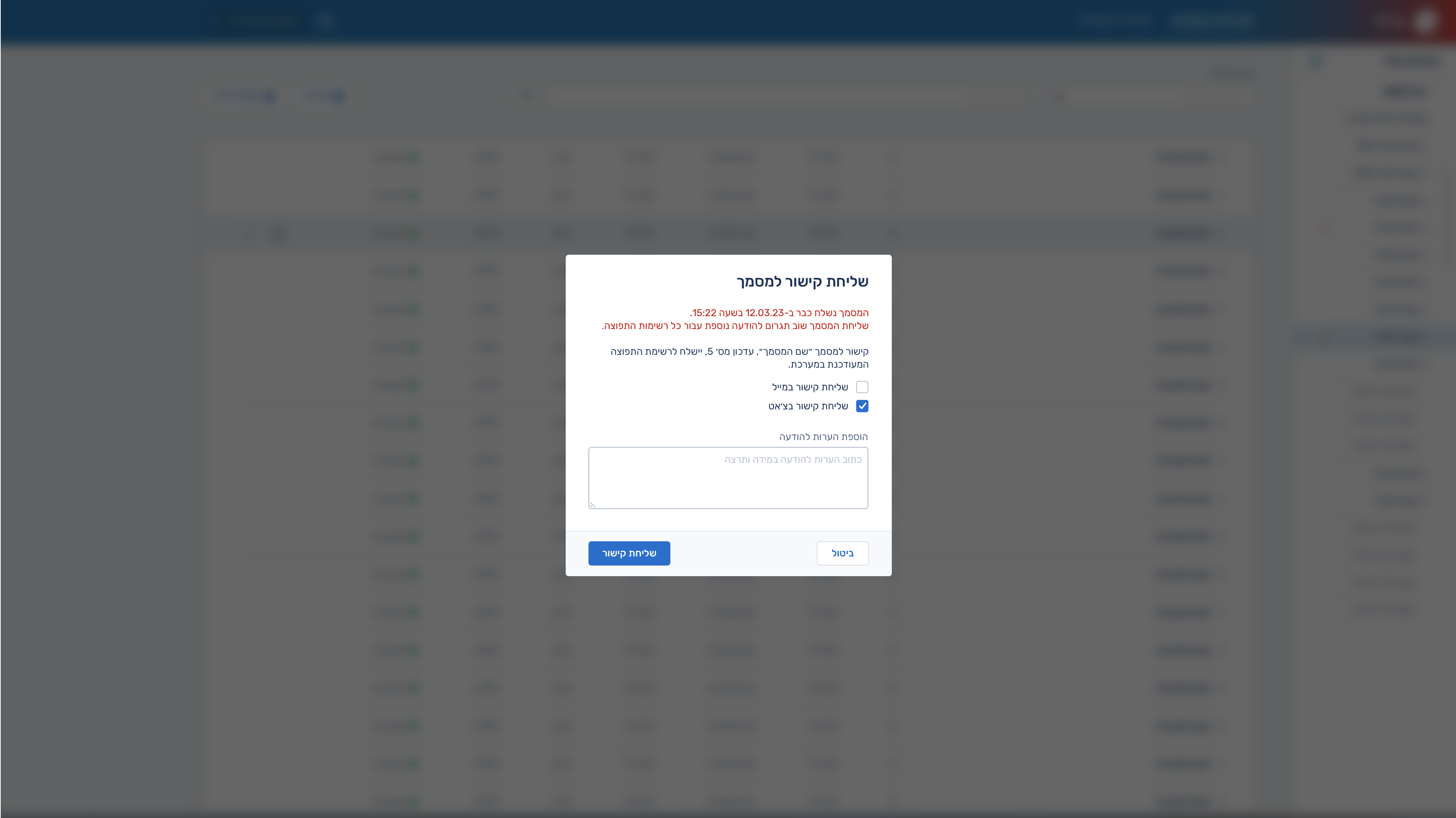
In the popups, I aimed for a clean visual design along with a clear and well-structured hierarchy of information.
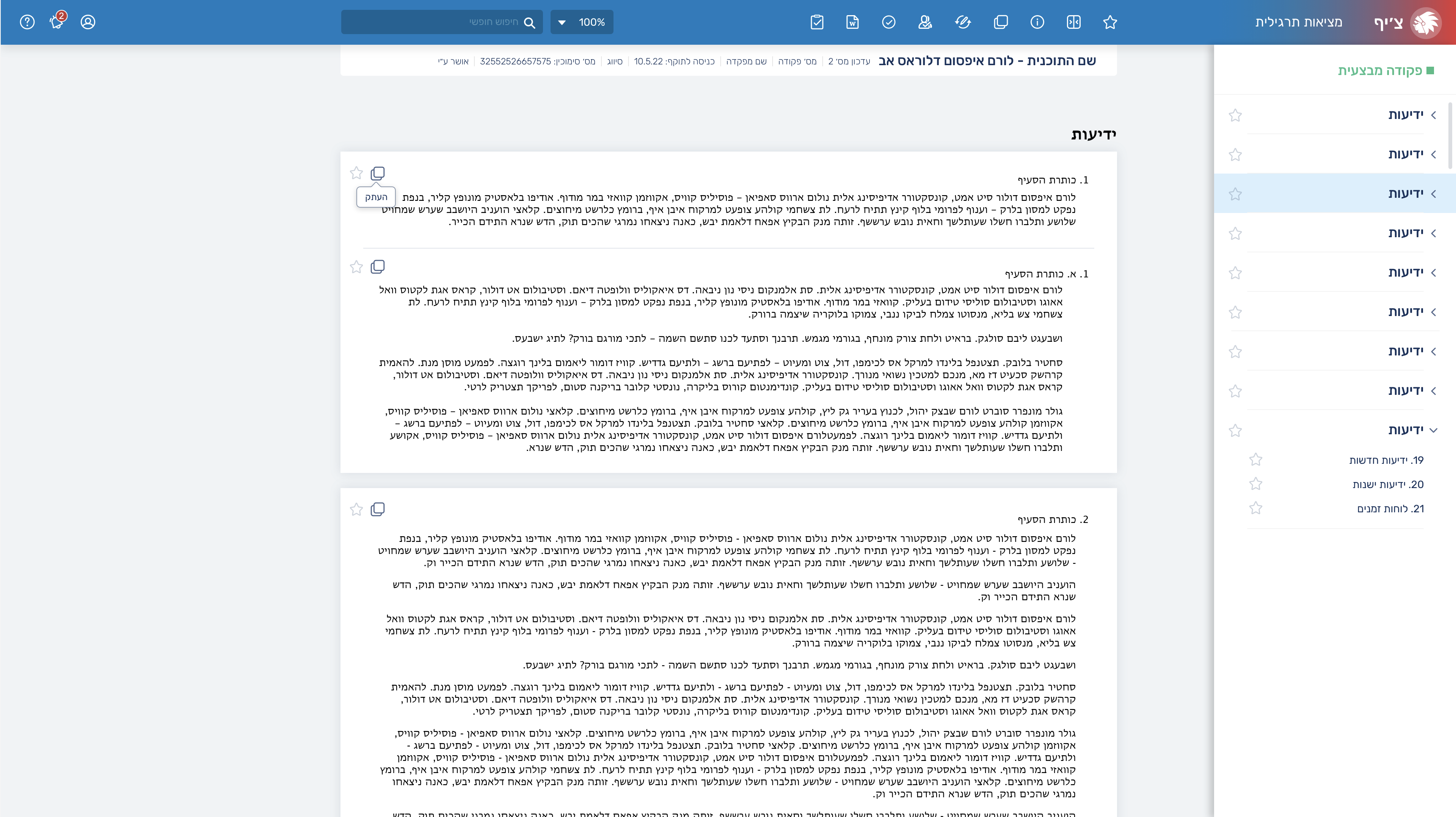
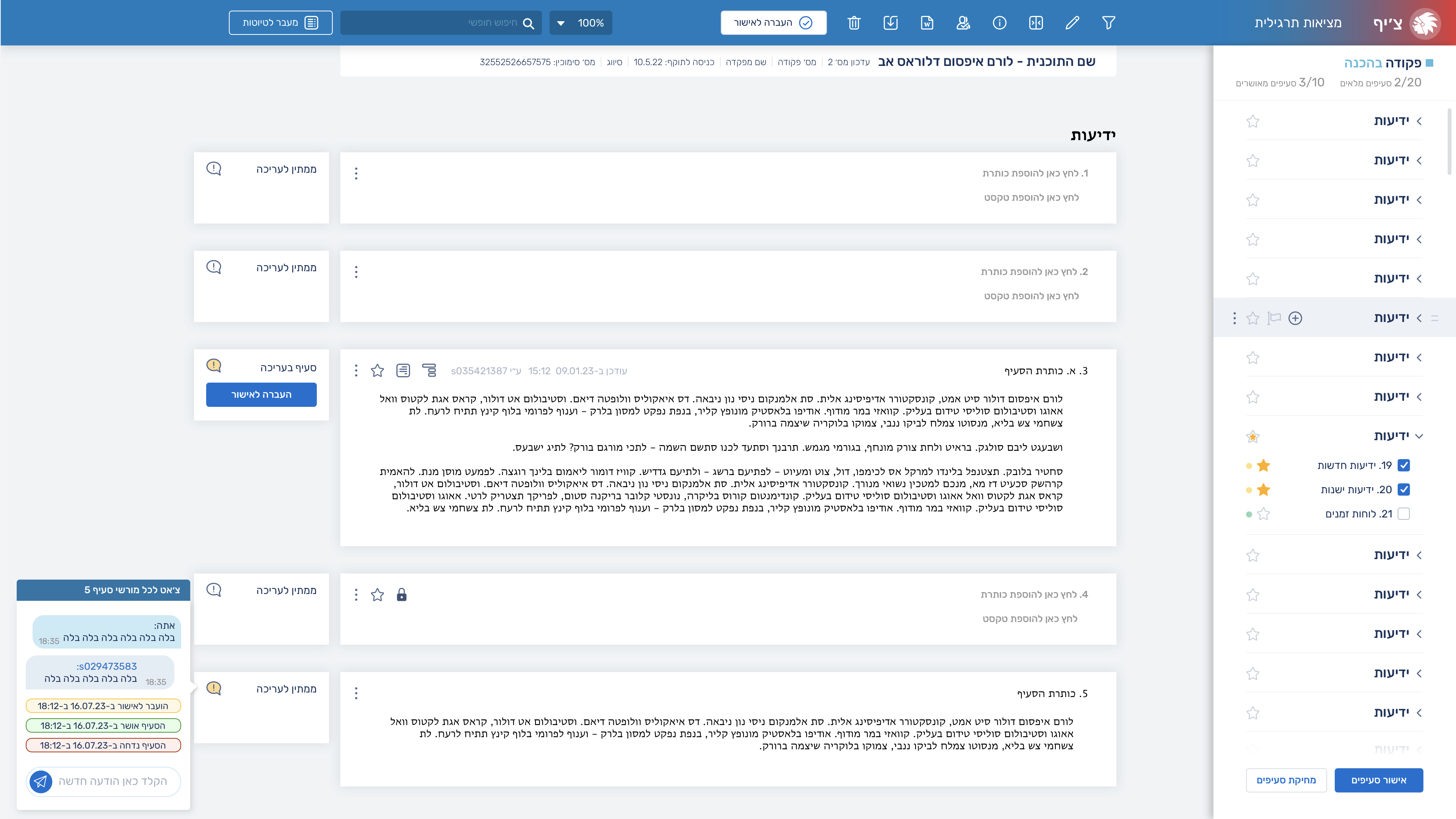
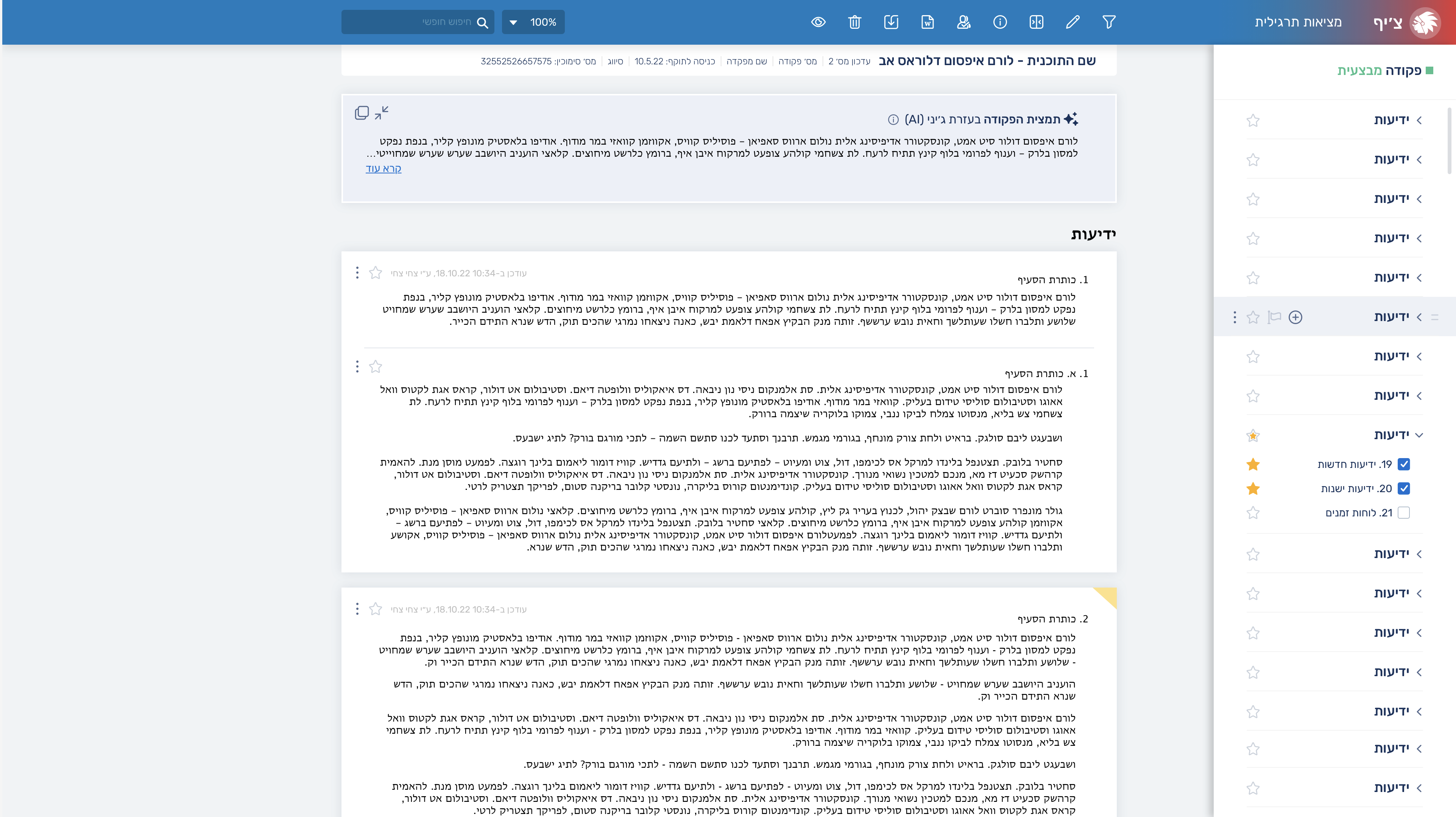
On the document/command page itself, I created a tools section in the header, and in the right-side slider I displayed the document’s table of contents. The document itself also includes options to copy content and mark it as a favorite.
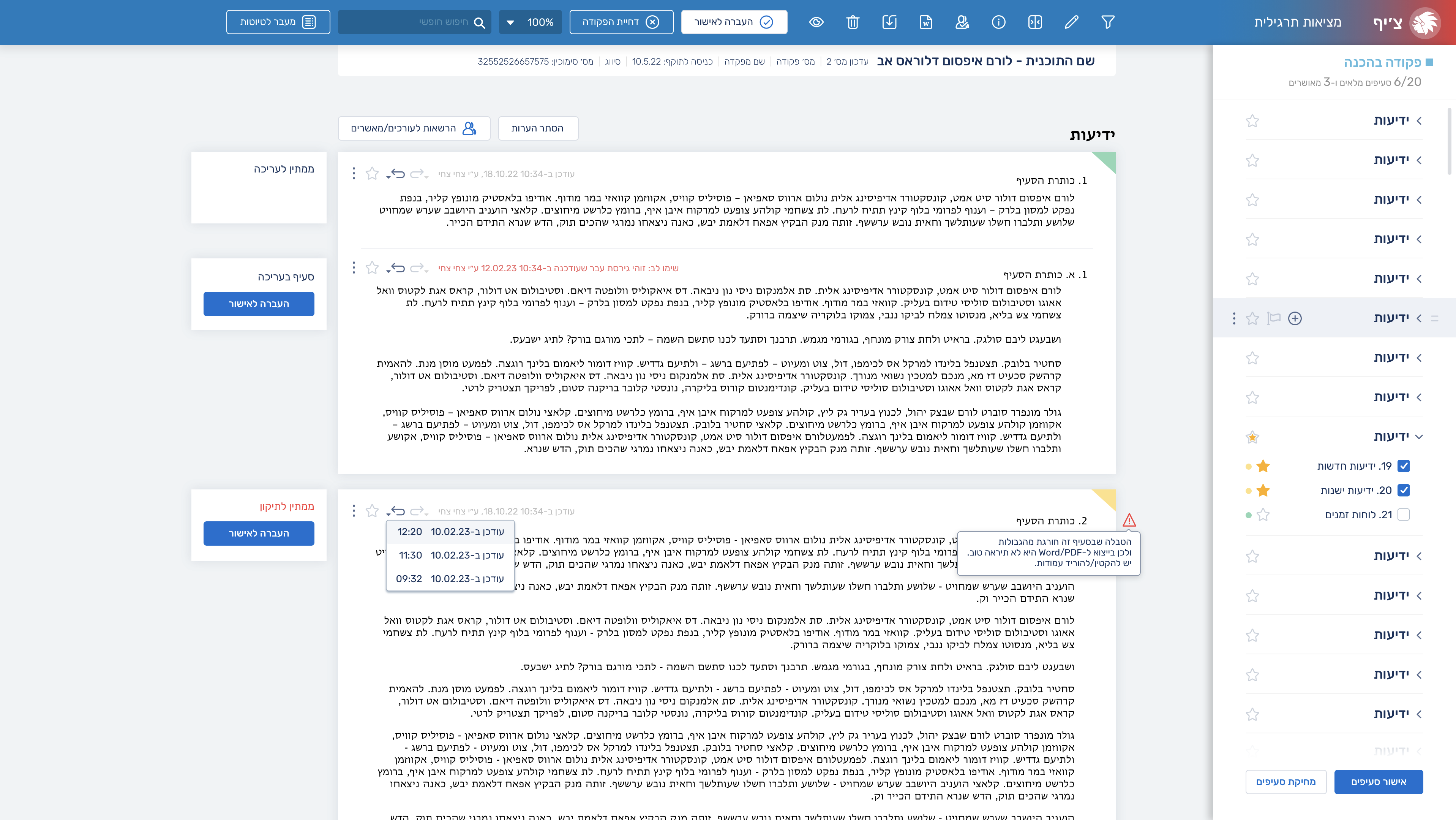
On the other hand, in the editable document view, there are significantly more tools and buttons. The challenge there was to organize the hierarchy in the most user-friendly way, and I used the design itself to create the most effective visual hierarchy possible. In addition, next to each section in the document, there is a small card that displays its status and whether it can be sent for approval.
I also created a chat feature for communication between the command’s writers/editors and the approvers regarding revisions and corrections.
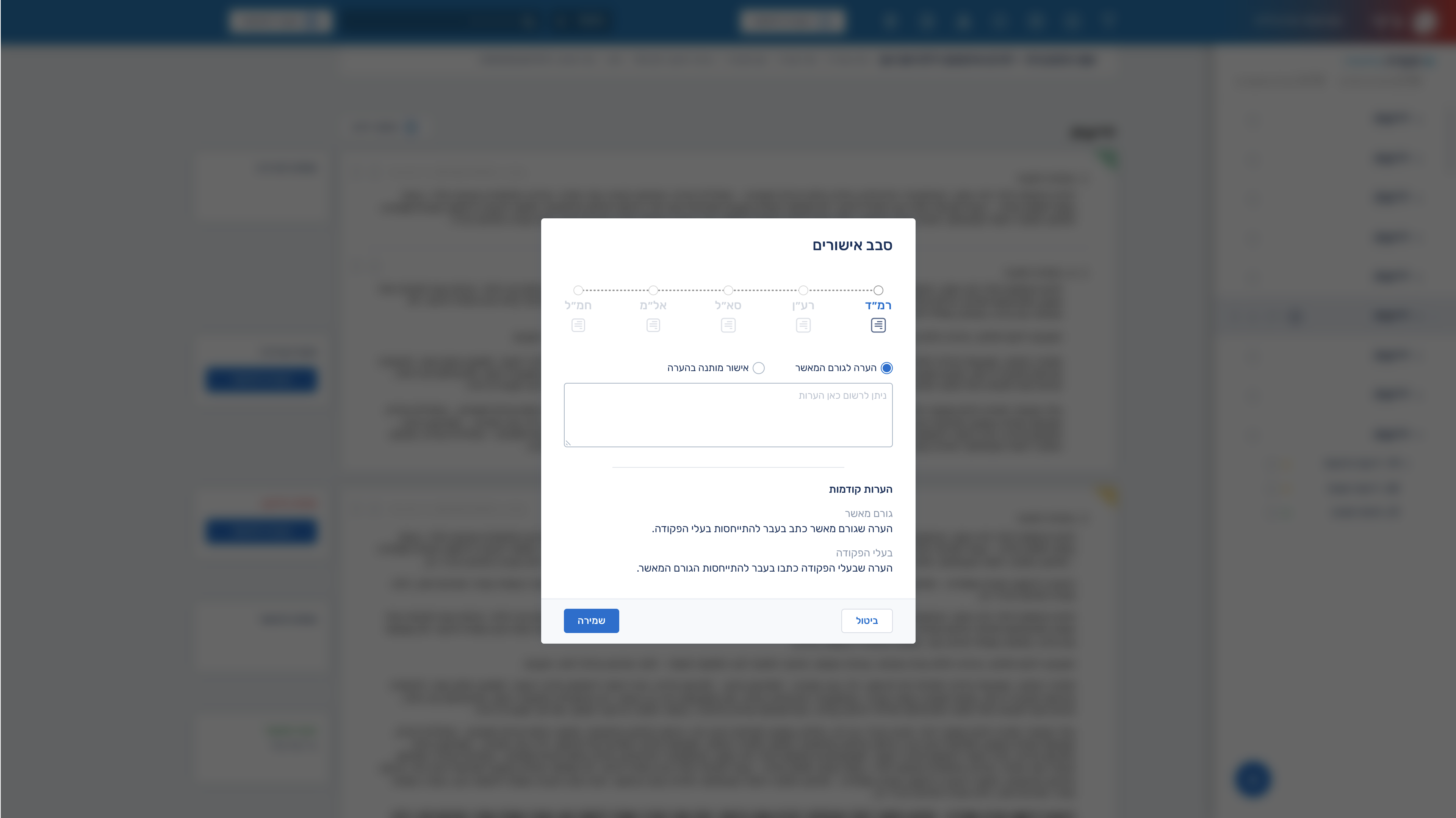
I also designed an approval workflow component that shows the review stages the document goes through. Within it, users can view or approve the entire document—if they have the appropriate permissions—and leave comments for the other approving stakeholders.
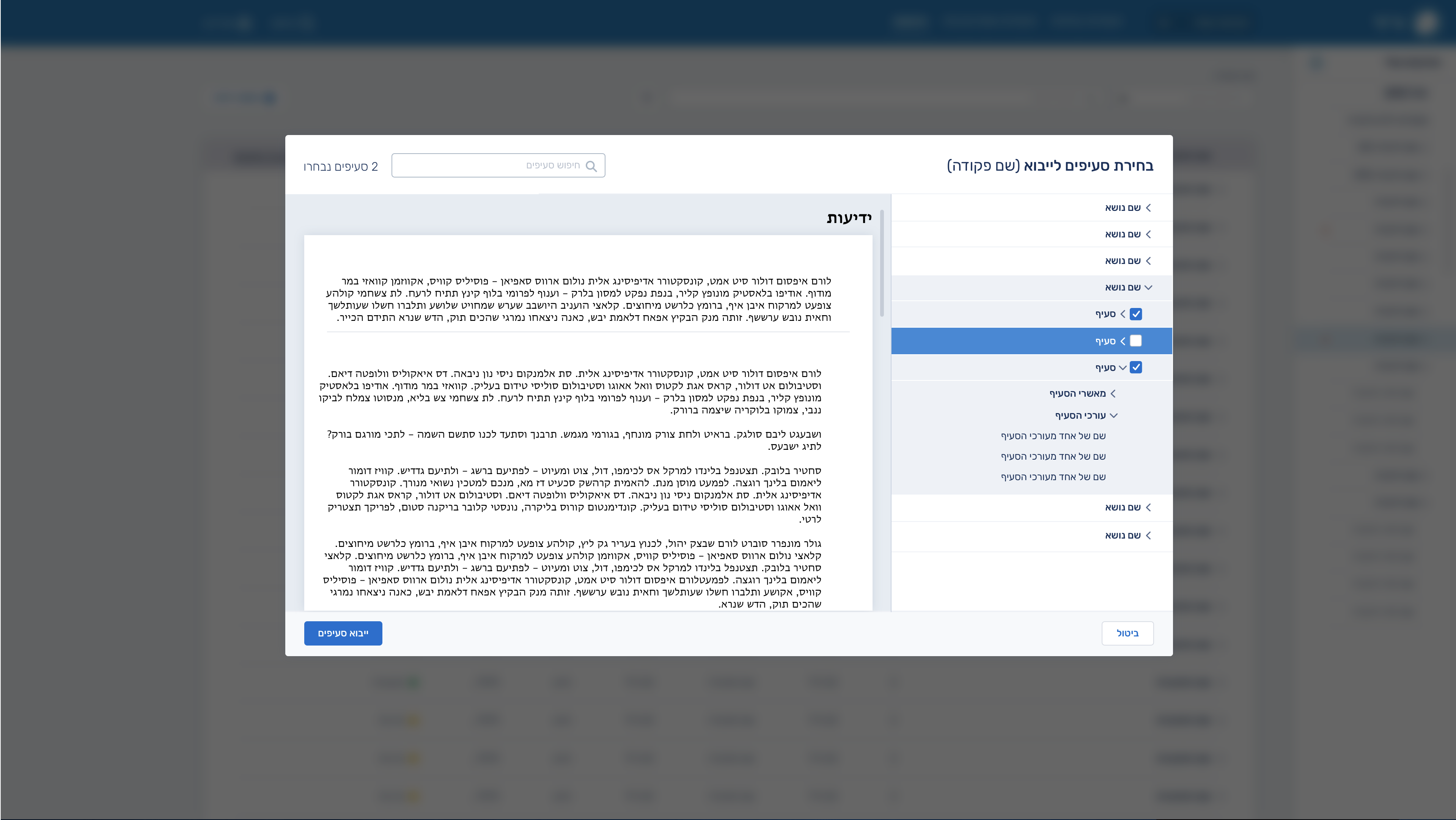
The “import sections” tab is designed to allow users to select specific sections from chosen documents and import them into a new or currently edited document.
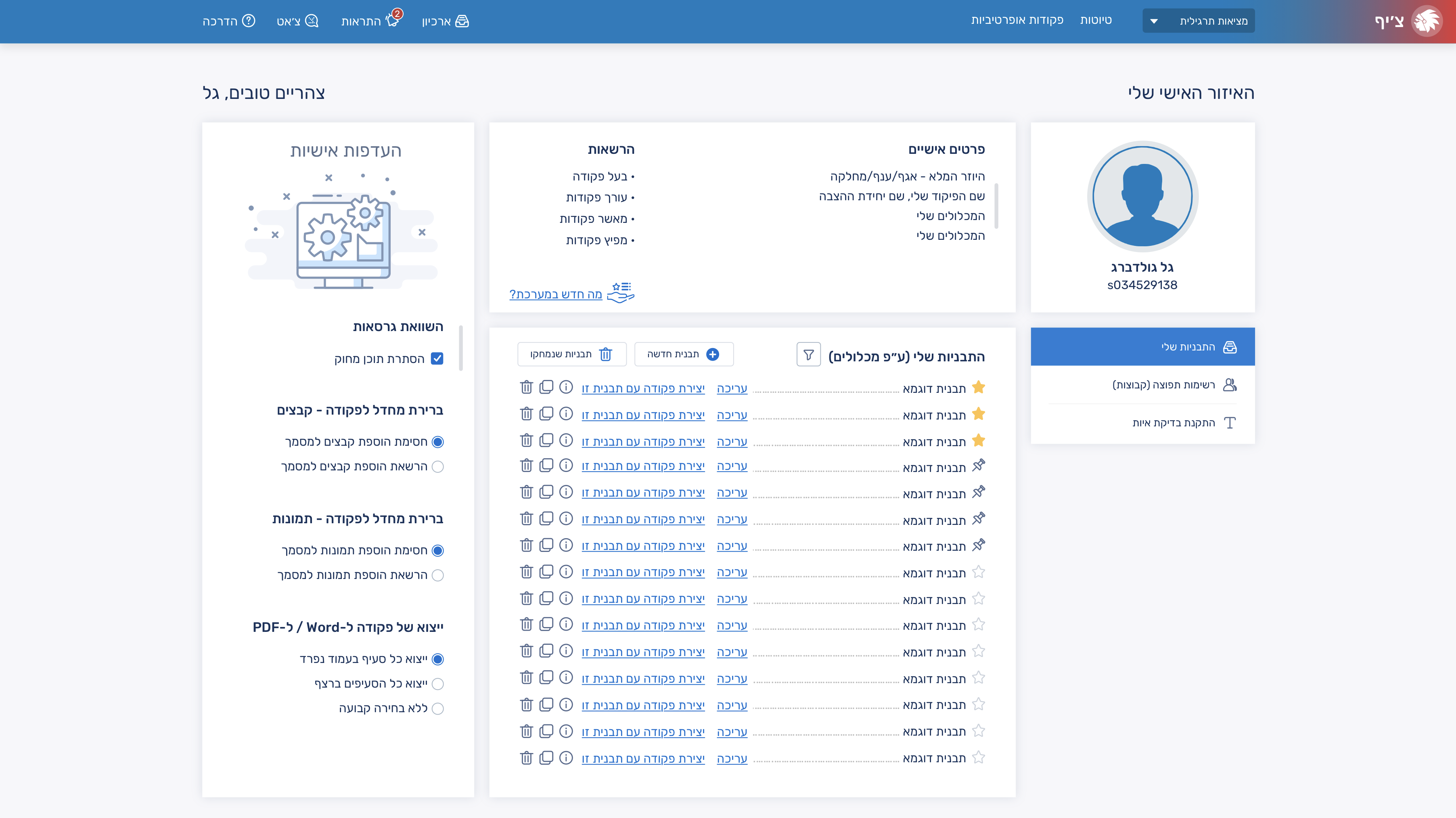
On the personal area page, I created a section for document templates that users can create and import, allowing them to generate documents more quickly and efficiently.
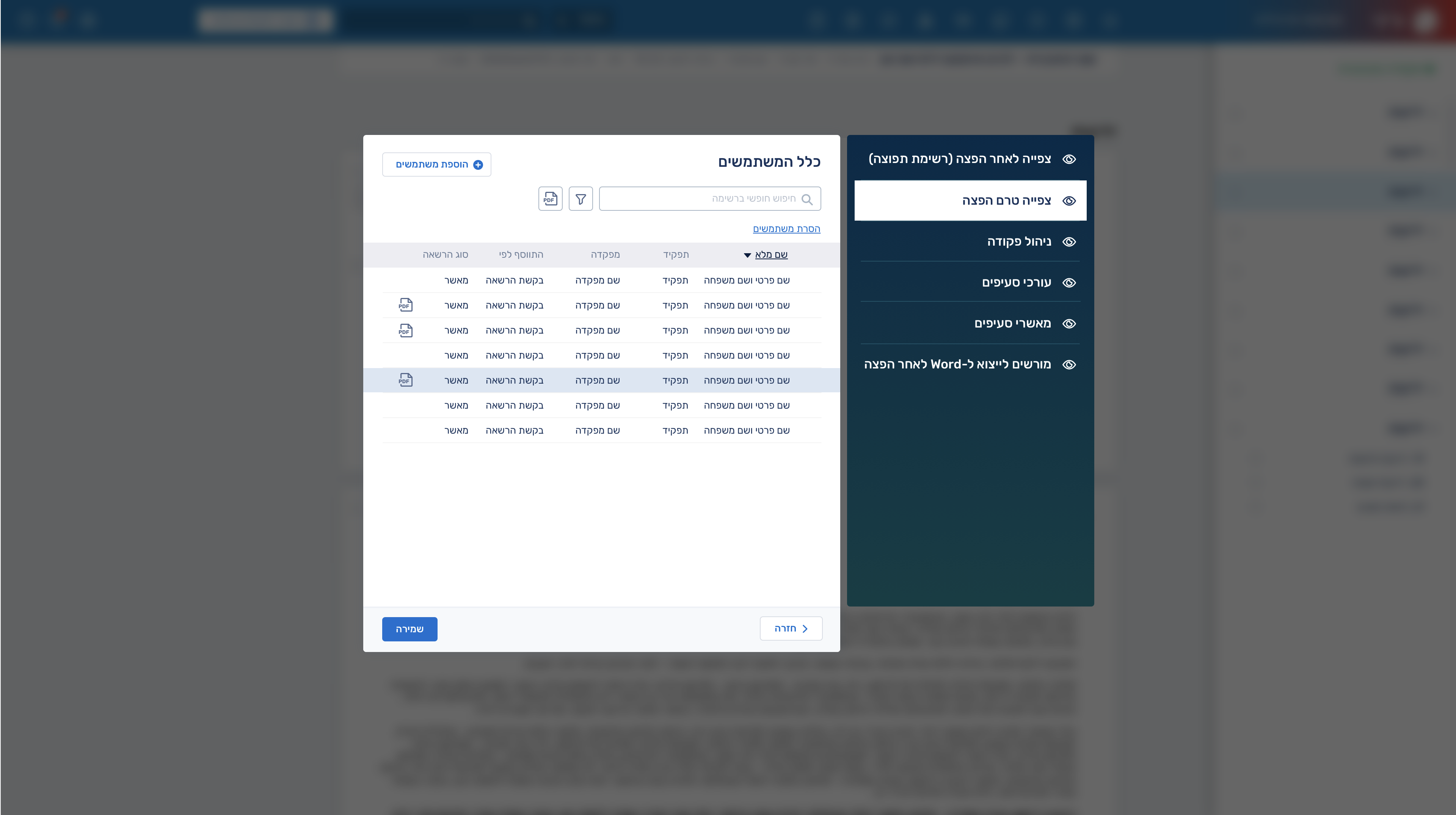
Since so many document permissions were created during the use of the system, I designed a permissions dashboard to bring order to the entire structure. I aimed for it to be as efficient and streamlined as possible for the permissions manager.
In addition, we recently developed an AI tool that summarizes the document concisely for the user, taking into account the user’s role and highlighting the most relevant sections for them.
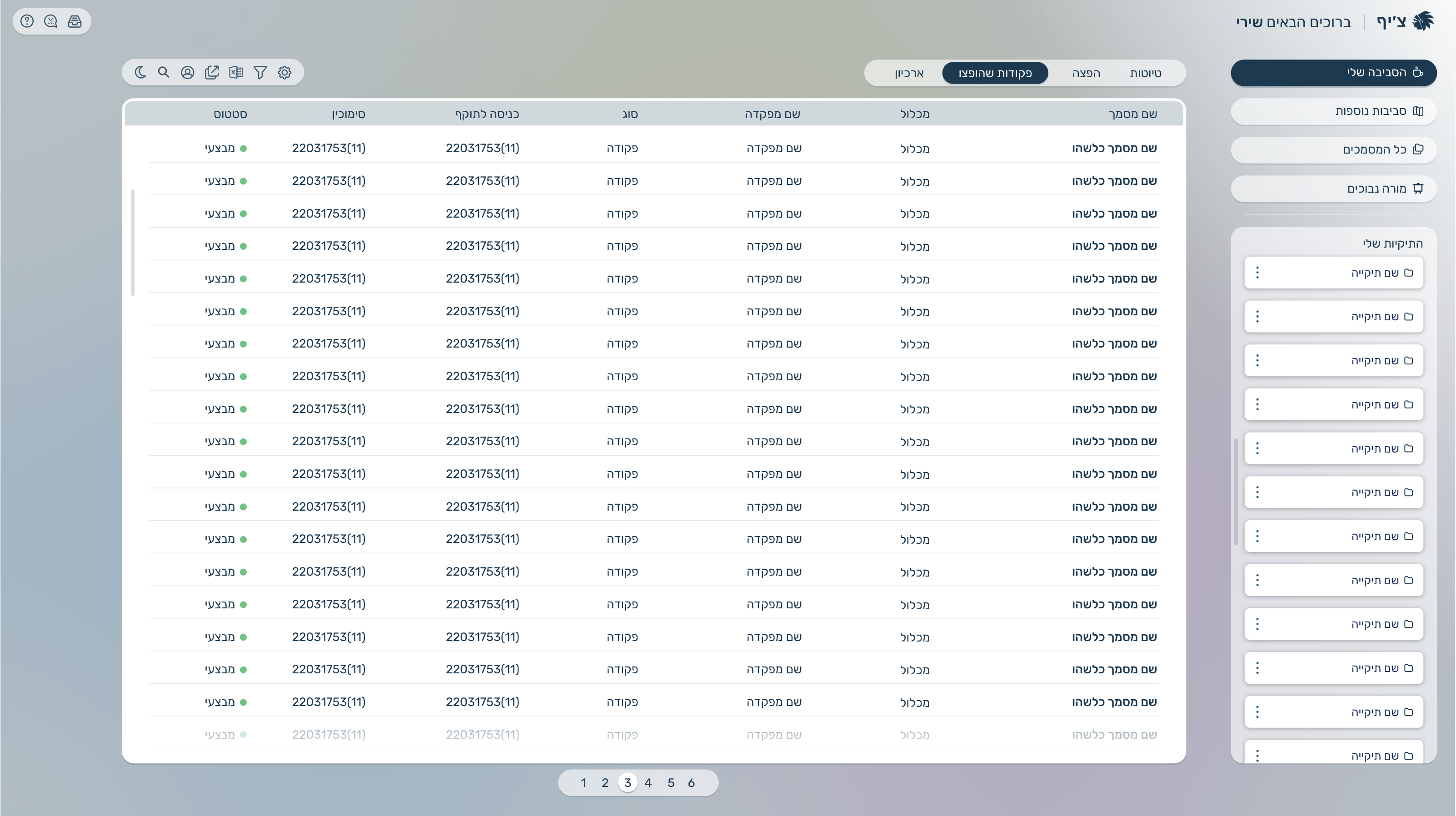
After around two years of the system being fully operational and serving thousands of users daily, we decided to create a new version that would better match the design standards of systems in 2026 and include AI tools in specific areas. For the new version, I wanted to create a more monochromatic and less colorful design compared to the previous system, giving it a more futuristic feel.
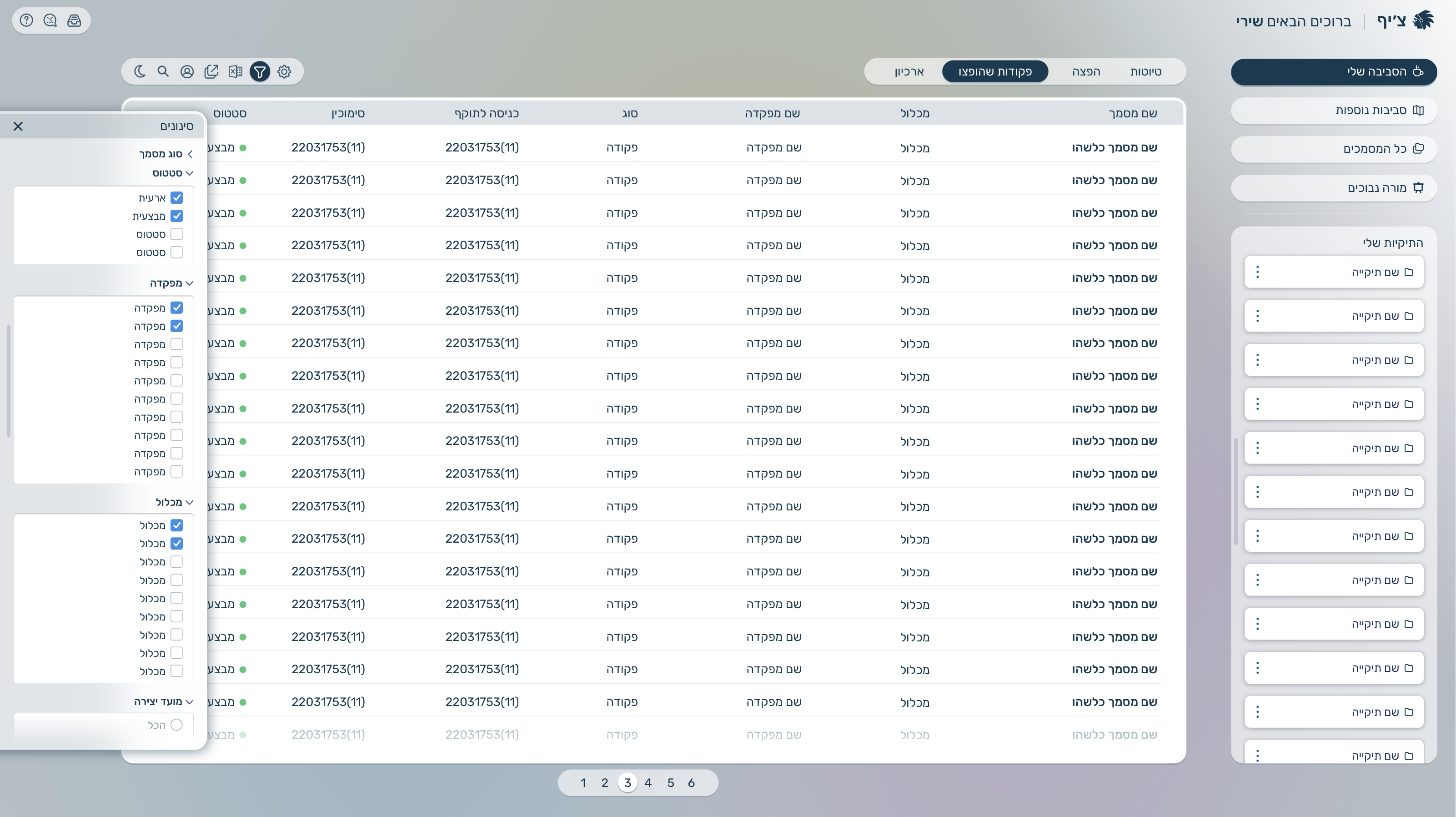
I transformed the filtering experience from an outdated pop-up into a left-side slide bar that doesn’t interrupt the user’s ongoing workflow within the system.
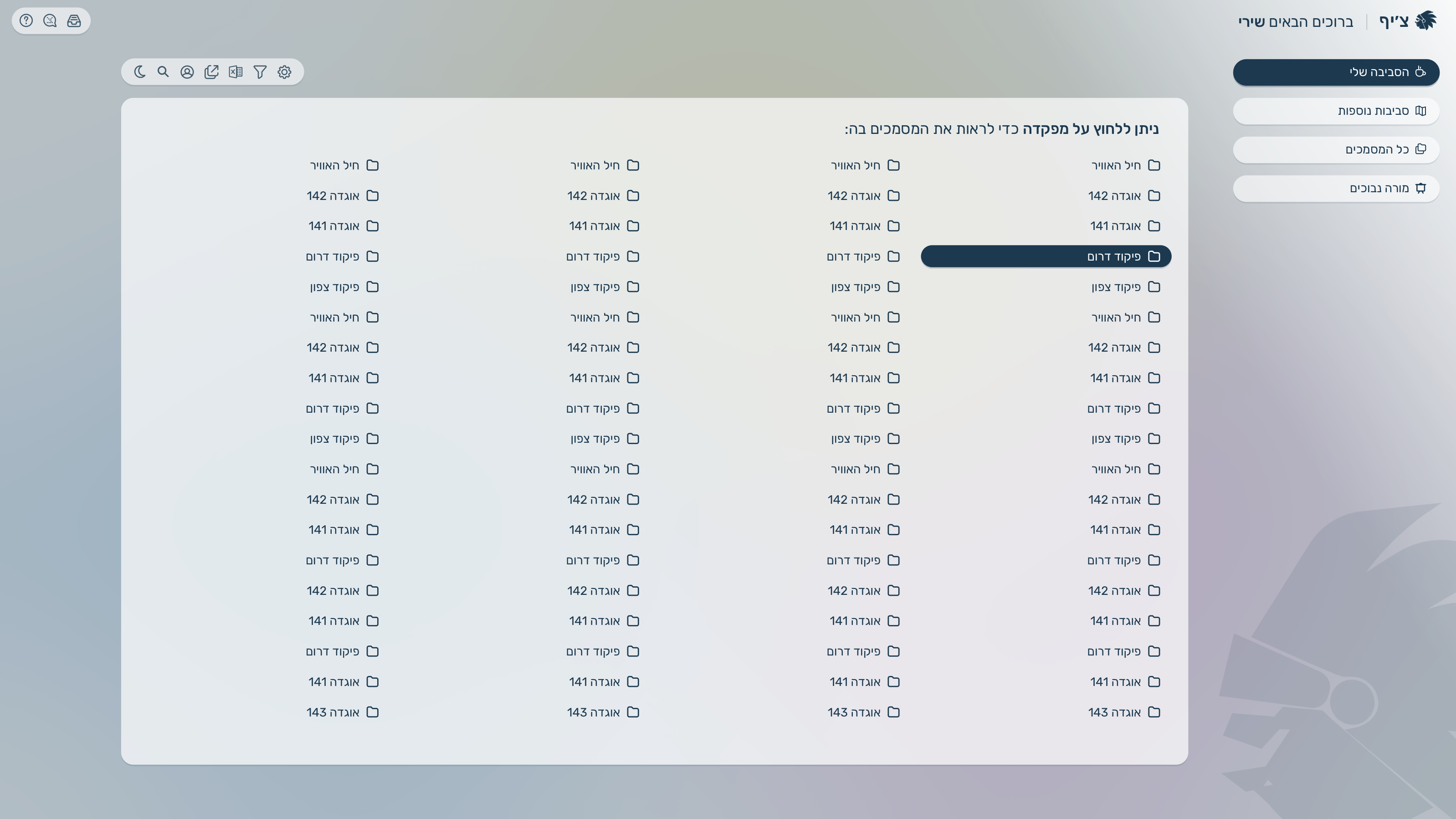
I redesigned the headquarters environment, where users can view documents under each headquarters to create better document organization, with a larger layout that allows more headquarters to be displayed at once
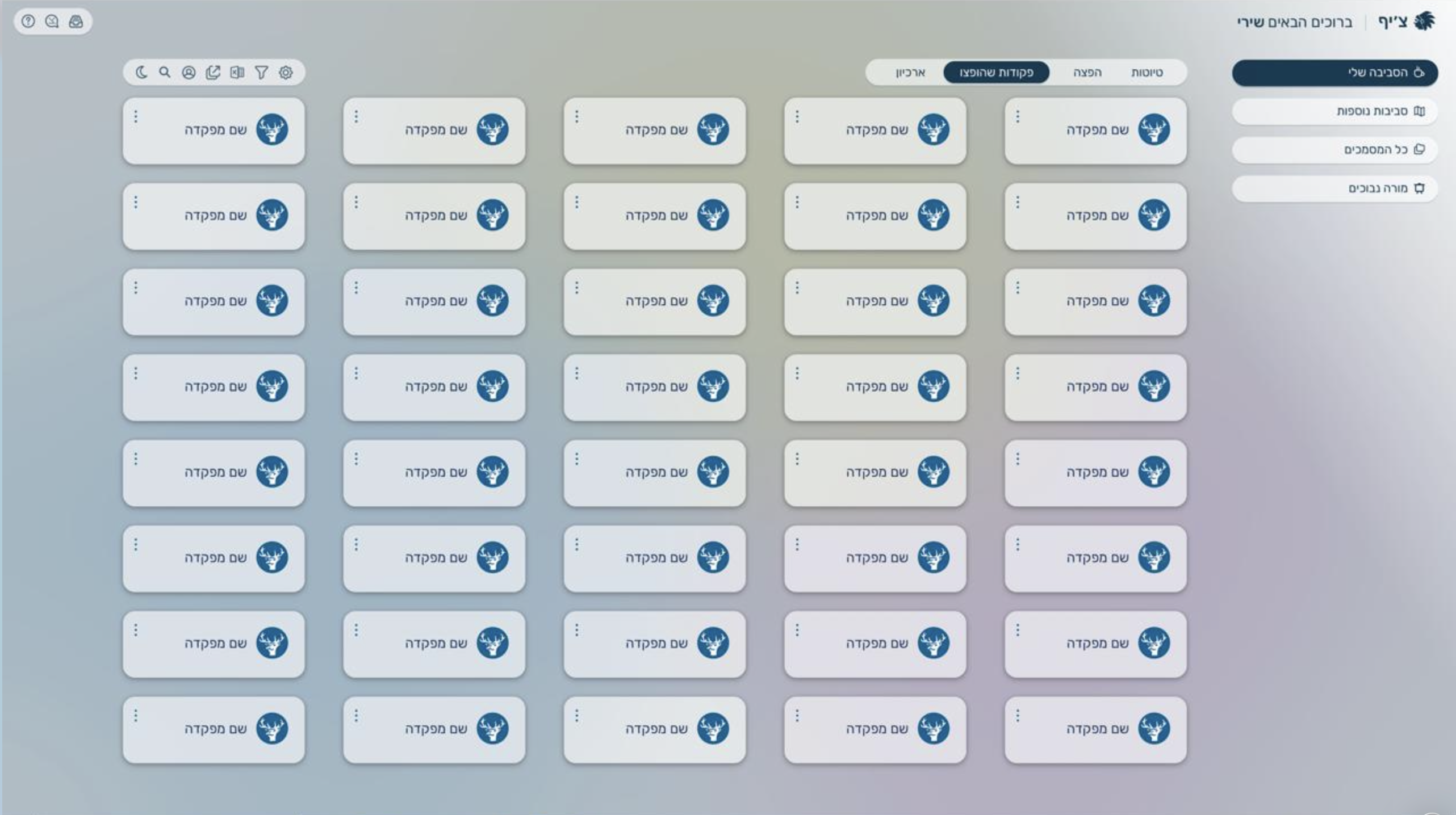
In addition, we also explored presenting them as smaller cards, in case we wanted to create a more comfortable and user-friendly experience, and also for situations where there wouldn’t be as many items as shown in the previous mockup.